Sim Racing Helmet Designs: Which Games Allow Them
Which sim racing games let you design your own helmet, and how: iRacing, Gran Turismo 7, Assetto Corsa Competizione and Automobilista 2.
Published 5 min read
Contents
Most sim racing games let you paint your car, but helmet customisation varies a lot. Some have a full editor with decals, some take a custom texture file, and some offer little more than a colour choice. This guide covers the games where we could confirm how custom helmets work, and how to plan a design that carries across all of them.
Checked October 2026. Games change with updates. We've only included games where we could confirm a way to customise your own helmet, and kept to what the publishers and well-established community guides describe. If a menu has moved, the game's own manual or support site will have the current path.
At a glance
| Game | How you customise a helmet | Own logos? |
|---|---|---|
| iRacing | Built-in paint shop patterns, or a fully custom TGA texture shared via Trading Paints | Yes, with a custom texture |
| Gran Turismo 7 | In-game Livery Editor for helmet and racing suit | Yes, via uploaded SVG decals |
| Assetto Corsa Competizione | In-game Custom Driver editor for helmet, overalls and gloves | Not confirmed |
| Automobilista 2 | Custom texture files, made like car liveries | Yes, painted into the texture |
iRacing
iRacing has two routes. The built-in paint shop, under My Content in the iRacing UI, lets you choose a preset helmet pattern and set its colours; everyone sees it without installing anything. For a fully custom design you paint a TGA texture named with your customer ID and place it in your iRacing paint folder. Other drivers only see a custom texture if they have the file, which in practice means everyone running the Trading Paints downloader.
It's the most flexible of the sims for helmets, and the most work. The iRacing helmet design guide covers file names, folders and Trading Paints in detail.
Gran Turismo 7
Gran Turismo 7's Livery Editor covers more than cars: the official manual says you can change the colours of your car, helmet and racing suit and apply decals to them. Helmet and suit designs are reached through GT Auto, then Driving Gear.
You can create your own decals by uploading SVG files on the Gran Turismo website. Sign in to your profile on gran-turismo.com with your PlayStation Network account and use the Decal Uploader; uploaded decals then appear in the game's Showcase under your library. SVG files must be small (the limit is 15 KB), so simple, bold vector logos work best. Detailed artwork often has to be simplified to fit.
Finished designs can be shared through the Showcase so other players can download them.
Planning tip: GT7 decals are layered and positioned by hand on the helmet, so a design built from a few strong shapes, a number and one or two logos translates well. Work out the layout first, then rebuild it decal by decal.
Assetto Corsa Competizione
ACC added a Custom Driver editor in its version 1.4 update, which lets you customise your driver's helmet, overalls and gloves. It's separate from the car livery editor, which arrived in update 1.2.
ACC's in-game editors are known for being restrictive compared with painting your own textures, and we couldn't confirm whether you can add your own logos to a helmet. Treat it as a way to get your colours and style onto the driver rather than a full design tool. Keep the design simple: a base colour and one or two accents translate best.
Automobilista 2
In Automobilista 2, helmets are customised the same way as car liveries: by painting texture files and placing them in the game's folders, following the custom livery process. Community guides note that the same method covers helmets, overalls, gloves and other driver items, and that textures are saved as DDS files with mipmaps. (Photoshop needs a plug-in to save DDS; GIMP can do it without one.)
Because you're painting the texture yourself, AMS2 gives you full control over the design, including logos and numbers. The trade-off is the same as iRacing's: working on a flat texture makes it hard to judge how the design wraps around the helmet.
Games we haven't covered
We couldn't confirm a way to design your own helmet in the current F1 games or in Le Mans Ultimate at the time of writing, so they're left out rather than guessed at. Le Mans Ultimate's custom livery system is focused on cars, and the F1 games' customisation tools centre on the car livery. If that changes, we'll update this guide.
One design across every sim
If you race in more than one game, it helps to have a single master design that you rebuild in each. That keeps your identity consistent across leagues, streams and screenshots. The trick is designing something that survives the most limited editor you'll use.
- Keep the core simple. A base colour, one dominant shape and a number is reproducible in any editor. Extra detail can be added where the game allows it.
- Use high contrast. Sim helmets are often seen small, through compressed streams. Light against dark reads; navy against black doesn't.
- Put the main graphic on the crown. Chase and TV cameras tend to show the top and back of the helmet more than the sides.
- Prepare logos as simple vectors. GT7 needs small SVGs, and texture-based sims need clean artwork at the right size. A bold, simple mark works everywhere.
- Write down your colours. Note the hex codes so the same red is the same red in every game.
Settling that master design on a 3D helmet is quicker than iterating inside a game. In Helmet Designer you lay it out on flat views and check it on a live 3D shell as you go. Export a PNG render as your reference, note the hex codes, then rebuild it in each game's editor or template. Share the link with your league or team to get opinions before you commit.
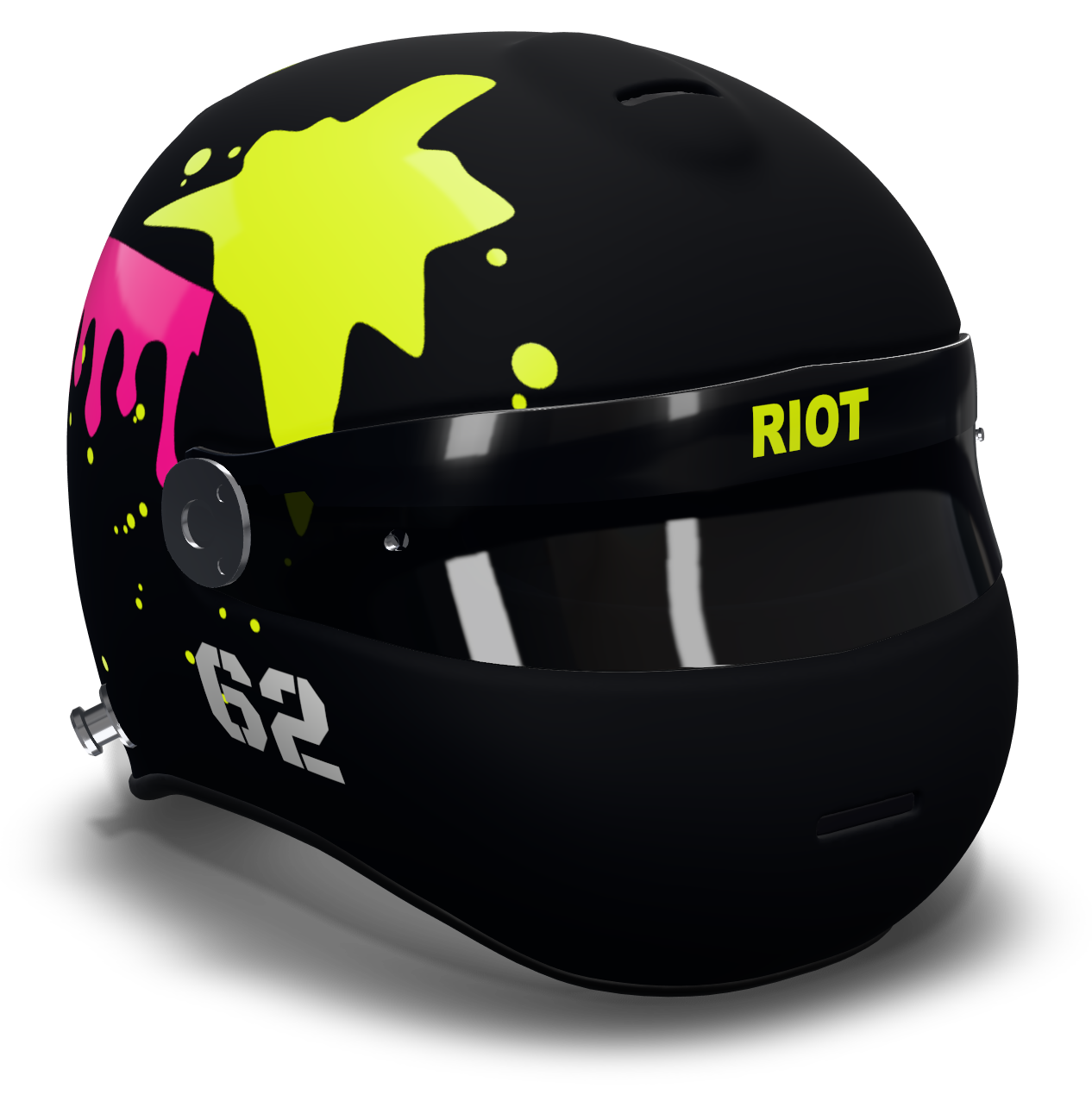
For layout and colour advice, read how to design a racing helmet and choosing helmet colours.
Common questions
Which sim racing games let you design your own helmet?
iRacing (built-in patterns or a custom texture via Trading Paints), Gran Turismo 7 (the Livery Editor covers helmets and suits), Assetto Corsa Competizione (a Custom Driver editor since version 1.4) and Automobilista 2 (custom texture files).
Can I put my own logo on my helmet in Gran Turismo 7?
Yes. Upload your logo as a small SVG file (15 KB or less) through the Decal Uploader on gran-turismo.com, then place it on your helmet in the Livery Editor.
How do I keep my helmet the same across different sims?
Design one simple master version with a base colour, one main shape and a number, write down the hex codes, and rebuild it in each game. Simple, high-contrast designs survive the most limited editors.
Related guides
Sim racing · 6 min
iRacing Helmet Design: How Custom Paints Work
How custom helmets work in iRacing: the built-in paint shop, helmet TGA files, Trading Paints, and planning your design in 3D before you paint it.
Read the guideDesign basics · 7 min
How to Design a Racing Helmet, Step by Step
Plan a racing helmet design that works: concept, colours, the five zones of the shell, numbers and text, finishes, and checking every angle in 3D.
Read the guideColour · 6 min
Choosing Helmet Colours That Read at Speed
How to pick helmet colours: contrast, visibility on track and on camera, schemes that work, and when to use gloss, matte, metallic or fluo.
Read the guide