Choosing Helmet Colours That Read at Speed
How to pick helmet colours: contrast, visibility on track and on camera, schemes that work, and when to use gloss, matte, metallic or fluo.
Published 6 min read
Contents
Colour does more work on a helmet than on almost any other object. It has to identify you from the far side of a circuit, survive being shrunk to a few hundred pixels on a broadcast or a phone screen, and still look good in a close-up photo. This guide covers how to choose colours that do all three, and how finish changes the result.
Contrast matters more than colour
When people say a helmet "pops", they almost always mean it has strong contrast, usually between light and dark. Hue (red versus blue) matters less than value (light versus dark). Two colours of similar brightness, such as red and green, or navy and black, blur together at a distance even if they look distinct up close.
A quick test: imagine the design in black and white. If the main graphic disappears, it won't read on track either. In the editor, zoom the 3D view out until the helmet is small and see what survives.
Pairings that hold up well:
- white with any saturated colour (red, blue, green, orange);
- black or dark navy with yellow, fluorescent green, orange or white;
- silver with a dark blue, red or black;
- yellow with black, the pairing used on warning signs for good reason.
Pairings that tend to struggle: navy on black, red on dark grey, light blue on white, and anything pastel on anything pastel.
Visibility on track and on the road
On a race circuit, visibility is mostly about identification: your team, marshals, commentators and photographers picking you out. A distinctive, high-contrast helmet makes that easy, which matters more if your car or kart looks like everyone else's.
On the road it can also be about safety. A case-control study of motorcyclists in Auckland, published in the BMJ in 2004 (Wells and colleagues), found that riders wearing a white helmet had a lower risk of crash-related injury than those in a black helmet, and that light-coloured helmets were associated with lower risk than dark ones. It's an observational study, so it shows an association rather than proof, but it's a reasonable argument for a light base, or at least large light areas, on a helmet you ride on the road.
How colours behave on camera
Most people will see your helmet through a camera: onboard footage, trackside photos, a stream, social media. Cameras change colours in predictable ways.
- Fine detail disappears. Thin pinstripes, small text and busy textures turn to mush when the image is compressed or the helmet is small in the frame. Make the main shapes large and treat detail as a bonus for close-ups.
- Saturated reds and magentas can bloom. Very saturated colours, fluorescent pink in particular, can clip on some cameras and lose their edges. A white or black outline helps hold the shape.
- Very dark colours lose shape. A gloss black helmet mostly shows reflections. Matte black shows the silhouette but no surface detail. Either way, a dark helmet relies on its accent colour to be recognised.
- White can blow out. In bright sun a white helmet can lose detail in the highlights. A coloured graphic with a clear edge still reads; a pale grey one may not.
The crown is what overhead and onboard cameras see most, and in single-seaters it's often all that shows above the cockpit, so it's the best place for your most recognisable colour.
Colour schemes that work
A simple structure keeps a helmet coherent: one base colour for most of the shell, one main accent for the dominant graphic, and an optional small accent for pinstripes, outlines and text. The small accent should take up very little of the surface.
| Scheme | Example | Notes |
|---|---|---|
| Light base, dark graphic | White, navy, cyan pinstripe | Very readable; the classic look. See the Fjord starter. |
| Dark base, bright graphic | Matte black, fluorescent yellow | Aggressive and modern. Keep the bright colour large. See Night Shift. |
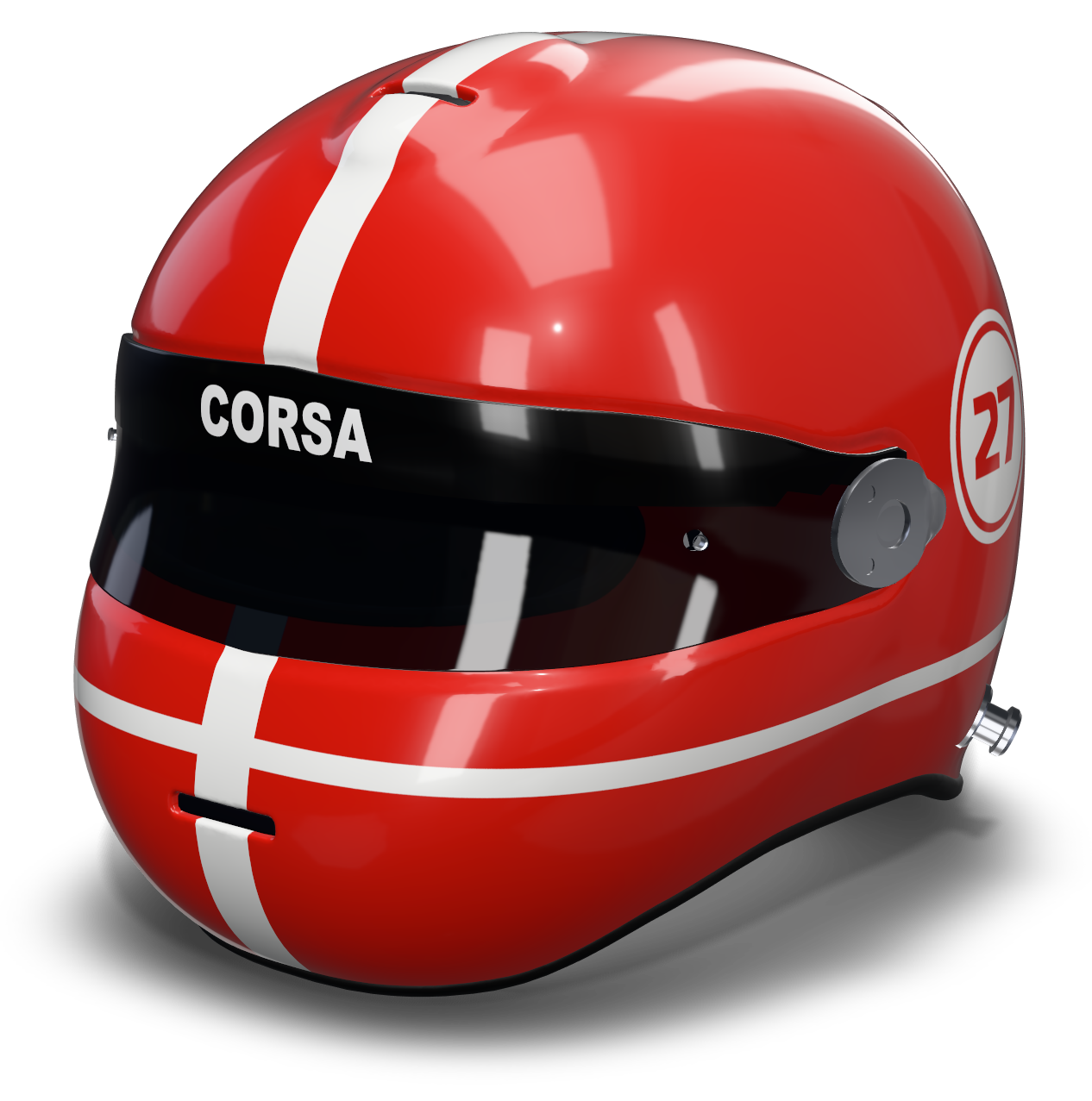
| Bold base, white graphic | Red, white stripe | Strong on camera, easy to recognise. See Corsa. |
| Complementary | Blue and orange | Opposites on the colour wheel; high energy. Separate them with white or black pinstripes. |
| Analogous fade | Orange to magenta | Neighbouring colours blended in a gradient. Add a white graphic for contrast. See Sunset. |
| Metallic and dark | Silver, deep blue | Looks expensive; needs good light. See Glacier. |
Your helmet also sits next to your car, kart, bike or race suit. If they already have colours, carry one of them into the helmet rather than introducing a whole new palette.
Gloss, satin, matte, metallic and the rest
Finish changes how a colour looks as much as the colour itself. The same red reads differently in gloss and in matte.
- Gloss gives the deepest, most saturated colour and sharp reflections. It's the default for most race helmets and the easiest to keep clean.
- Satin sits between gloss and matte: softer reflections, slightly muted colour. A good choice if you want a modern look without matte's drawbacks.
- Matte flattens colour and hides the shell's curves. Matte black with gloss or fluorescent graphics is a strong combination. Real matte paint marks more easily and is harder to clean than gloss.
- Metallic adds sparkle and changes brightness as the helmet turns. It suits silvers, blues and dark reds. Fine detail on metallic can be harder to read.
- Pearl shifts colour slightly with the viewing angle. Best on white or pale bases.
- Chrome reflects its surroundings, so its apparent colour changes completely with the background. Use it for accents rather than whole areas.
- Fluorescent paint is the brightest colour available in daylight. On a real helmet it fades with sun exposure faster than standard colours, and it usually needs a white base underneath to glow properly.
Mixing finishes on one helmet gives contrast without adding colours. A matte base with the graphic in gloss of the same colour only shows when light catches it, which looks subtle and expensive up close.
Try matte black with fluorescent graphicsThe Riot starter: matte base, fluo splats and a brush-stroke swipe.Open in the editor →Screen colours versus real paint
Every screen shows colour slightly differently, and paint never matches a screen exactly. If you're going to have a helmet painted, treat the design as a guide to layout and colour relationships. Ask your painter for physical swatches or sprayed test cards of the actual paints, look at them in daylight, and pick from those. Bring the shared 3D link so they can see how the colours sit together. The guide to painting a real helmet covers the rest.
Common questions
What colour helmet is most visible?
Light, high-contrast helmets are the most visible. White or yellow bases with a strong dark or saturated graphic read from furthest away. A 2004 BMJ study of motorcyclists found white helmets were associated with lower injury risk than black ones.
Is a matte helmet a good idea?
Matte looks modern and suits dark bases with bright graphics, but real matte paint marks more easily and is harder to clean than gloss. Satin is a practical middle ground.
How many colours should a helmet have?
Two or three: a base, a main accent and a small accent for pinstripes and text. Contrast between them matters more than the number of colours.
Related guides
Design basics · 7 min
How to Design a Racing Helmet, Step by Step
Plan a racing helmet design that works: concept, colours, the five zones of the shell, numbers and text, finishes, and checking every angle in 3D.
Read the guideInspiration · 6 min
Helmet Design Ideas: 24 Liveries to Try
24 concrete helmet livery ideas, from centre stripes and two-tones to flames, shards and splatter, with notes on colour, finish and how to build each one.
Read the guideReal paint · 7 min
How to Paint a Helmet: Planning, Masking, Safety
Plan a real helmet paint job: templates, masking, materials, keeping the shell and certification intact, when to use a pro painter, and when to wrap.
Read the guide