How to Design a Racing Helmet, Step by Step
Plan a racing helmet design that works: concept, colours, the five zones of the shell, numbers and text, finishes, and checking every angle in 3D.
Published 7 min read
Contents
A good racing helmet design is recognisable from a grandstand, readable on an onboard camera and still interesting up close. Getting there is mostly planning: one clear idea, a short colour list, and a layout that respects how a helmet is actually seen. This guide walks through the process in the order that tends to work, from first idea to checking the finished design from every angle.
You can follow along in the free editor: it shows the helmet as five flat views (left, right, top, front and back) and paints a live 3D shell as you work.
1. Start with one idea
Write the concept down in a sentence before you touch a colour. "White helmet, one bold red stripe over the crown, number on the chin" is a design. "Lots of cool stuff" is not. The helmets people remember usually carry a single strong graphic and support it with detail, rather than layering three competing ideas.
Useful starting points:
- Heritage. A national flag, a club colour, the colours of a parent's old helmet, or a shape from your kart or car livery.
- A shape that moves. Stripes, chevrons and swooshes that run front to back make a helmet look fast even when it's sitting on a table.
- A texture. Carbon weave, chequers, splatter or camouflage, used as one panel rather than everywhere.
- A character. Flames, wings, lightning or an animal motif, kept bold enough to read at a distance.
If you're stuck, the helmet design ideas guide has 24 worked examples, and the gallery of starter designs opens any of them in the editor.
2. Pick two or three colours
Choose a base colour, one main accent and, if you need it, a small second accent for pinstripes and text. Most strong designs stop there. More colours make a helmet look busy on camera, where it is often only a few hundred pixels tall.
Check contrast early. A navy stripe on a black shell looks rich in a close-up photo and disappears at 50 metres. Light against dark, or a saturated colour against white, reads from much further away. The colour guide goes into contrast, fluorescent paint and how colours behave on TV.
In the editor, set the base colour and finish first, then add accents as paint layers so you can change one without redoing the rest.
3. Plan the layout zone by zone
A full-face helmet has five areas that are seen in different situations. Planning each one deliberately is what separates a designed helmet from a decorated one.
| Zone | Where it's seen | What usually works |
|---|---|---|
| Crown (top) | Overhead cameras, onboard shots from behind, single-seaters where only the top shows above the cockpit | Your strongest graphic: a stripe, disc, chevron or a large number |
| Sides | Trackside photos, the grid, interviews | The main livery shape and your name; this is the area you control most freely |
| Chin bar | Head-on shots, the podium, close-up photos | A number, initials or a flag; keep it simple, it's a small curved area |
| Back | Following cars, onboard cameras behind the driver | A name, number or a continuation of the crown graphic |
| Visor strip | Almost every angle from the front | A name or one word in a condensed font, high contrast with the strip colour |
In a single-seater, the cockpit sides and head protection hide most of the lower helmet, so the crown and upper sides do most of the work. In a closed car the helmet is mostly seen through a window, so the side profile matters more. A kart helmet is fully exposed, so every zone counts.
Lines should flow between zones. A stripe that starts at the visor, runs over the crown and finishes at the nape looks intentional. One that stops abruptly where one view meets another looks like a mistake, which is why checking the join in 3D matters (step 6).
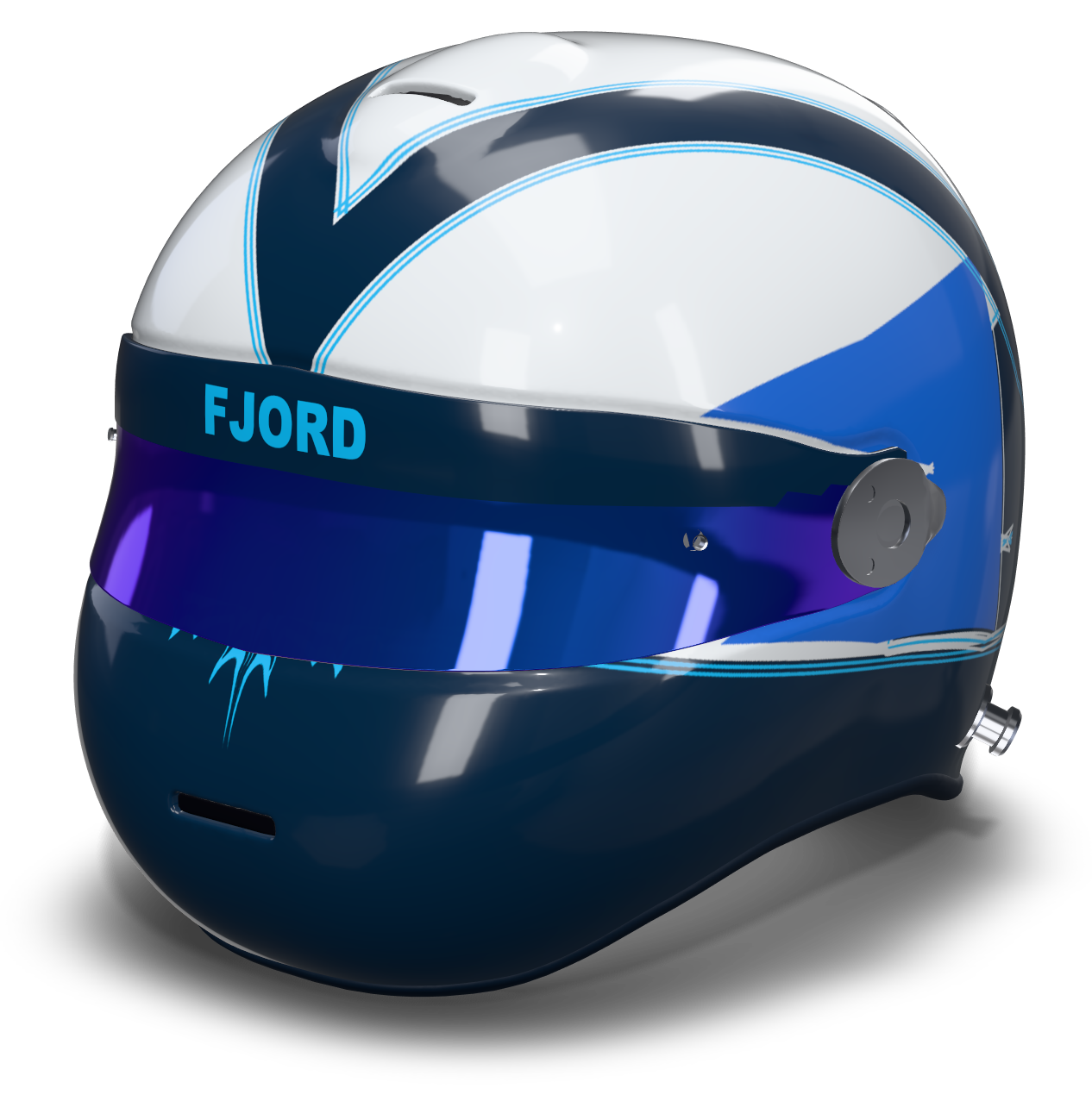
4. Build the main graphic
Start large and work down to detail. Lay the main shape first, check it from the side and from above, then add the secondary elements.
- Procedural patterns such as a centre stripe, twin stripes, a band, a two-tone split, a fade, a chevron, a crown disc or a side flash follow the shell automatically and are the quickest way to block out a layout. Each has sliders for width, height, tilt and offset.
- Paint shapes are vector paths that wrap the whole helmet. Use the library (swoosh, side shards, flame tongues, wings, lightning, wave bands, splats) or draw your own with the pen tool. Mirror symmetry keeps both sides identical; radial symmetry repeats a shape around the crown.
- Pinstripes are strokes around a shape, set in millimetres. A thin contrasting outline around the main graphic is one of the cheapest ways to make a design look finished. Two strokes with a small gap give the classic double pinstripe.
- Fills can be solid, a gradient or a texture such as carbon, chequer, hex or camouflage.
5. Add numbers, names and flags
Text is where many designs fall down. A few rules that hold up on track:
- Make the number big. If you race with a number, put it where it can be read: the chin, the crown or the back. A heavy, squared typeface reads better than a thin or script one. Give it a contrasting outline or sit it in a roundel or panel if the background is busy.
- One name, once or twice. Your name on each side or on the visor strip is plenty. Use a condensed font so it fits without shrinking.
- Flags small and neat. A flag on the back or below the visor on each side is traditional. It doesn't need to be large to be recognised.
- Leave room for sponsors. If you might carry sponsor logos, keep the visor strip, the chin bar and a patch on each side clear so you don't have to redesign later. You can upload logos in the editor to test placements.
Decals are drawn on one of the five views and projected onto the shell, so a number placed on the side view lands on the side of the helmet the way a sticker would. Mirrored decals copy to the opposite side automatically.
6. Choose finishes and check every angle
Finish changes how colours read as much as hue does. Gloss gives deep, saturated colour and sharp reflections. Matte flattens a colour and hides shape, which suits dark bases with gloss or fluorescent graphics on top. Metallic and pearl add movement under light. Mixing finishes on one helmet, such as a matte base with a gloss stripe, gives contrast even within a single colour.
Then check the design from every direction. Spin the 3D view slowly and look for:
- stripes that kink or pinch where the sides meet the crown;
- numbers and text that sit too close to the visor opening, the chin vents or the bottom edge;
- the view from directly behind and directly above, which you rarely look at while designing;
- how the helmet reads when it's small: zoom out until it fills a fraction of the screen and see what's left.
Set the visor tint as well. A dark or iridium visor changes the balance of the front view a lot, and the visor strip colour should work with it.
7. Save, share and take it further
Once the design holds up, save it and share the link. Anyone can spin the helmet in 3D in a browser, which is handy for getting opinions from a team or for briefing a painter. From the export menu you can download a PNG render or a short 9:16 turntable clip for social media.
If you're planning a real paint job, the printable paint template lays all five views out flat on one sheet. Read the guide to painting a real helmet before anything touches a shell, and see the free printable helmet templates if you want to sketch on paper first.
Common questions
How many colours should a racing helmet design have?
Two or three is a good working limit: a base, a main accent and an optional small accent for pinstripes and text. More than that tends to look busy on camera, where a helmet is often small in the frame.
Where should the race number go on a helmet?
Wherever it can be read in your series: the chin bar for head-on shots, the crown for overhead and onboard cameras, or the back for following cars. Use a heavy typeface with a contrasting outline.
Can I design a helmet without drawing skills?
Yes. Procedural stripes, bands and chevrons follow the shell automatically, and the shape library covers swooshes, flames, shards and wings. You adjust sliders and colours rather than drawing freehand.
Related guides
Inspiration · 6 min
Helmet Design Ideas: 24 Liveries to Try
24 concrete helmet livery ideas, from centre stripes and two-tones to flames, shards and splatter, with notes on colour, finish and how to build each one.
Read the guideColour · 6 min
Choosing Helmet Colours That Read at Speed
How to pick helmet colours: contrast, visibility on track and on camera, schemes that work, and when to use gloss, matte, metallic or fluo.
Read the guideReal paint · 7 min
How to Paint a Helmet: Planning, Masking, Safety
Plan a real helmet paint job: templates, masking, materials, keeping the shell and certification intact, when to use a pro painter, and when to wrap.
Read the guide